Need to understand a check-engine light before you decide what to do next? The right automotive diagnostic tool or OBD2 scanner can read the code stored by your vehicle, show basic live data, and help you ask better questions before you buy parts or book a repair. This page helps everyday drivers, DIY owners, and small fleets choose the level of scanner that matches the job.
Start with the code — do not start by replacing parts
A trouble code is a diagnostic starting point, not a repair instruction. Use a scanner to capture the code and basic conditions, then decide whether the issue is suitable for DIY work or needs a professional diagnosis.
What an OBD2 Scanner Can—and Cannot—Tell You
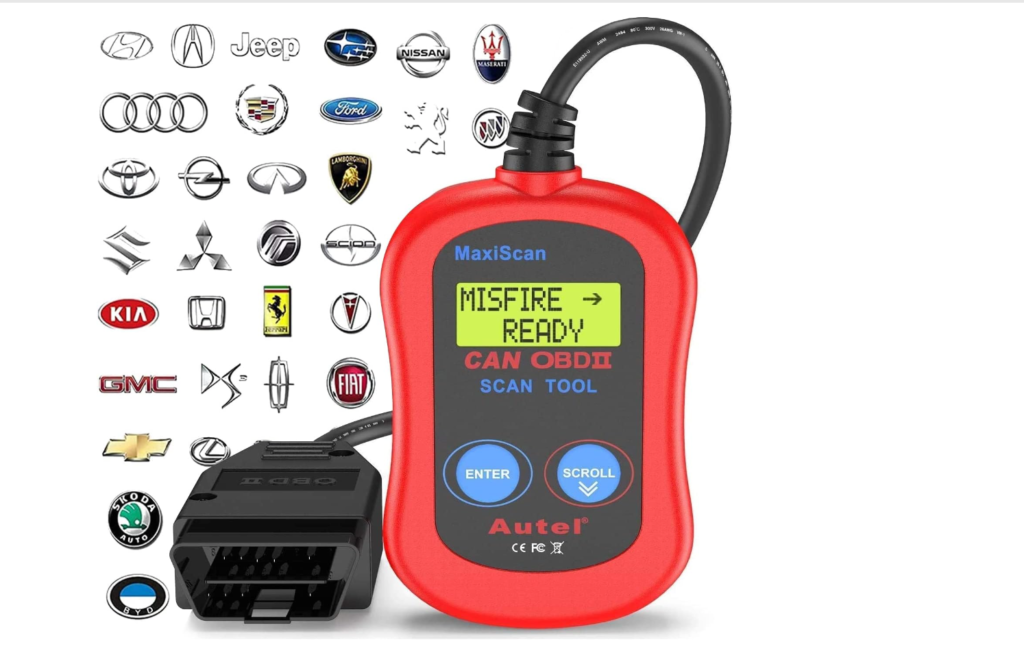
Most cars and light trucks sold in the United States from model year 1996 onward use the OBD2 diagnostic standard for emissions-related information. A compatible scanner can usually read engine trouble codes and readiness information. More capable tools may show live sensor data, access additional modules, or offer service functions. Exact coverage varies by the vehicle and the scanner, so always review the manufacturer’s compatibility information before buying.
- Code reader: best for a driver who wants to read a basic check-engine code and decide whether further diagnosis is needed.
- Handheld scanner with live data: useful when you want to see readings such as RPM, coolant temperature, or sensor values while the engine runs.
- Advanced diagnostic scanner: designed for deeper system access, maintenance functions, and more complex troubleshooting; check vehicle-specific support before purchase.
Choose the Right Diagnostic Tool for Your Job
| What you need to do | Best starting point | What to confirm before purchase |
|---|---|---|
| Understand a check-engine light | Basic OBD2 code reader | Vehicle compatibility, app/device requirements, and code coverage |
| Track live readings during a DIY repair | Handheld scanner with live-data display | Live-data parameters, update policy, and readability |
| Work across multiple vehicles or systems | Advanced scanner | Supported makes, modules, functions, subscriptions, and update terms |
| Maintain a small work fleet | Scanner matched to the fleet’s makes and service needs | VIN coverage, report export options, and technician workflow |
Diagnostic Scanner Picks to Compare
These are comparison links, not promises of compatibility or a current price. Review the retailer listing and manufacturer details before ordering.
- GOOLOO DEEPSCAN DS200 OBD2 Scanner — compare its listed system coverage and service functions with your vehicle’s needs.
- VDIAGTOOL VD30 Pro Code Reader — compare its stated reset functions and supported vehicles.
- VDIAGTOOL VD10 OBD2 Code Reader — compare its basic reading and readiness capabilities for your use case.
Some links on this page are affiliate links. If you purchase through them, Auto Tools Mart may earn a commission at no extra cost to you.
When a Code Reader Is Not Enough
Do not clear a warning light and assume the repair is complete. If the vehicle will not start, has a flashing warning light, runs poorly, shows a battery concern, or has a brake or airbag warning, use the code as information and get the underlying issue assessed. Auto Tools Mart offers mobile mechanic service and battery testing and replacement in its service area.
Questions Drivers Ask Before Buying a Scanner
Will an OBD2 scanner diagnose every problem?
No. It can report information available through the vehicle’s diagnostic systems. Mechanical issues, intermittent faults, and some module-specific concerns may require further testing.
Can I use one scanner on more than one vehicle?
Often yes, but coverage varies by scanner and vehicle. Confirm the listed make, model, year, and system support before purchase.
Should I erase a trouble code?
Capture the code and any relevant freeze-frame or live-data information first. Clearing a code can remove useful information and does not repair the cause.
What should a small fleet look for?
Prioritize the exact vehicles in the fleet, practical reporting, update terms, and the diagnostic functions your technician or service provider actually uses.
Need help after you read the code?
Book a mobile diagnostic or repair visit in the Auto Tools Mart service area.